In this article
What you’ll learn
- Adopt a hybrid system for both physical and digital document storage.
- Use the Five-Category Sorting System to clear clutter and prioritize action.
- Implement the 3-2-1 backup rule for digital security and disaster recovery.
Do you know exactly where your social security card, house deed, and 2021 tax returns are located right now? If you had to evacuate your home in ten minutes, could you grab your essential records without panic? For the average person, the answer is often a stressed "no." Hunting for lost items eats up days of the year for most of us, and misplaced paperwork is a primary culprit. Learning how to organize important documents isn't just about aesthetics; it is about reclaiming your time, protecting your identity, and ensuring your family’s security.
Despite the rapid digital transformation of the last decade, we haven't reached a "paperless" society yet. Plenty of households still keep significant paper files, and many have settled into a "hybrid" system. This guide will walk you through the most efficient, modern methods to manage that hybrid flow, ensuring you never lose a vital record again.
The High Cost of Disorganization
Before we dive into the "how," we must understand the "why." Disorganization is more than a nuisance—it is a productivity drain. Plenty of people struggle to find the information they need to complete daily tasks because it is buried in unorganized records. This "information friction" can lead to missed deadlines, late fees, and even legal complications.
Furthermore, the environmental impact is staggering. Paper makes up a huge share of what ends up in landfill. By streamlining your filing system and moving toward digital archives, you aren't just helping yourself; you are cutting into the mountain of paper waste that currently clogs our ecosystems.
The Five-Category Sorting System
The best way to organize important documents starts with a rigorous sorting process. Most people fail because their categories are too broad or too granular. To achieve domestic efficiency, I recommend the "Five-Category" system.
1. Action
These are documents that require immediate attention. They should never be "filed" in a long-term drawer. Think of these as "active" papers: bills to pay, school permission slips to sign, or upcoming event RSVPs.
- Storage: A small desktop "In-Box" or a wall-mounted file.
2. Archive (Vital)
These are your "forever" documents. They are hard-to-replace originals that define your legal and physical existence.
- Examples: Birth certificates, Social Security cards, marriage licenses, property deeds, and wills.
- Storage: A fireproof, waterproof safe or a bank safe deposit box.
3. Household (Active)
These documents support your current lifestyle but may eventually be replaced or discarded.
- Examples: Current insurance policies, appliance warranties, lease agreements, and medical records.
- Storage: A traditional filing cabinet or a high-quality accordion folder.
4. Recycle
This is for non-sensitive junk mail, old catalogs, and flyers.
- Tip: Recycle these immediately. Do not let them touch your kitchen counter.
5. Shred
Any document containing your name, address, account numbers, or Social Security information that you no longer need must be shredded to prevent identity theft.
Warning: Never dispose of documents containing personal identifiers in the regular trash. Identity theft remains one of the fastest-growing crimes in 2025.
Physical Storage: What Stays and What Goes?
A common question is: "Which documents must stay in physical form?" While we love digital convenience, the legal system still prioritizes "wet ink" signatures for certain items.
| Document Type | Storage Format | Retention Period |
|---|---|---|
| Birth/Marriage Certificates | Physical Original | Forever |
| Social Security Cards | Physical Original | Forever |
| Tax Returns & Support | Hybrid (Digital + Paper) | 7 Years |
| Bank Statements | Digital Only | 1 Year |
| Property Deeds/Titles | Physical Original | While owned |
| Utility Bills | Digital Only | 1 Month |
Note: Many people hoard utility bills or paycheck stubs. This creates "mental friction" that prevents you from finding truly important items like your house deed. If a document is available via an online portal, you likely do not need the paper copy.
The Home Safe vs. Safe Deposit Box
Where you store your physical "Archives" depends on accessibility.
- Safe Deposit Box: Best for items you rarely need, like original property deeds or rare collectibles.
- Home Safe (Fireproof): Best for items you might need in an emergency, such as passports, medical directives, and your "Go-Bag" documents.
Warning: Storing important papers in plastic bins can trap moisture, leading to mold or documents sticking together over time. Use archival-quality folders or fireproof metal safes instead.
Digital Organization: The 2025-2026 Strategy
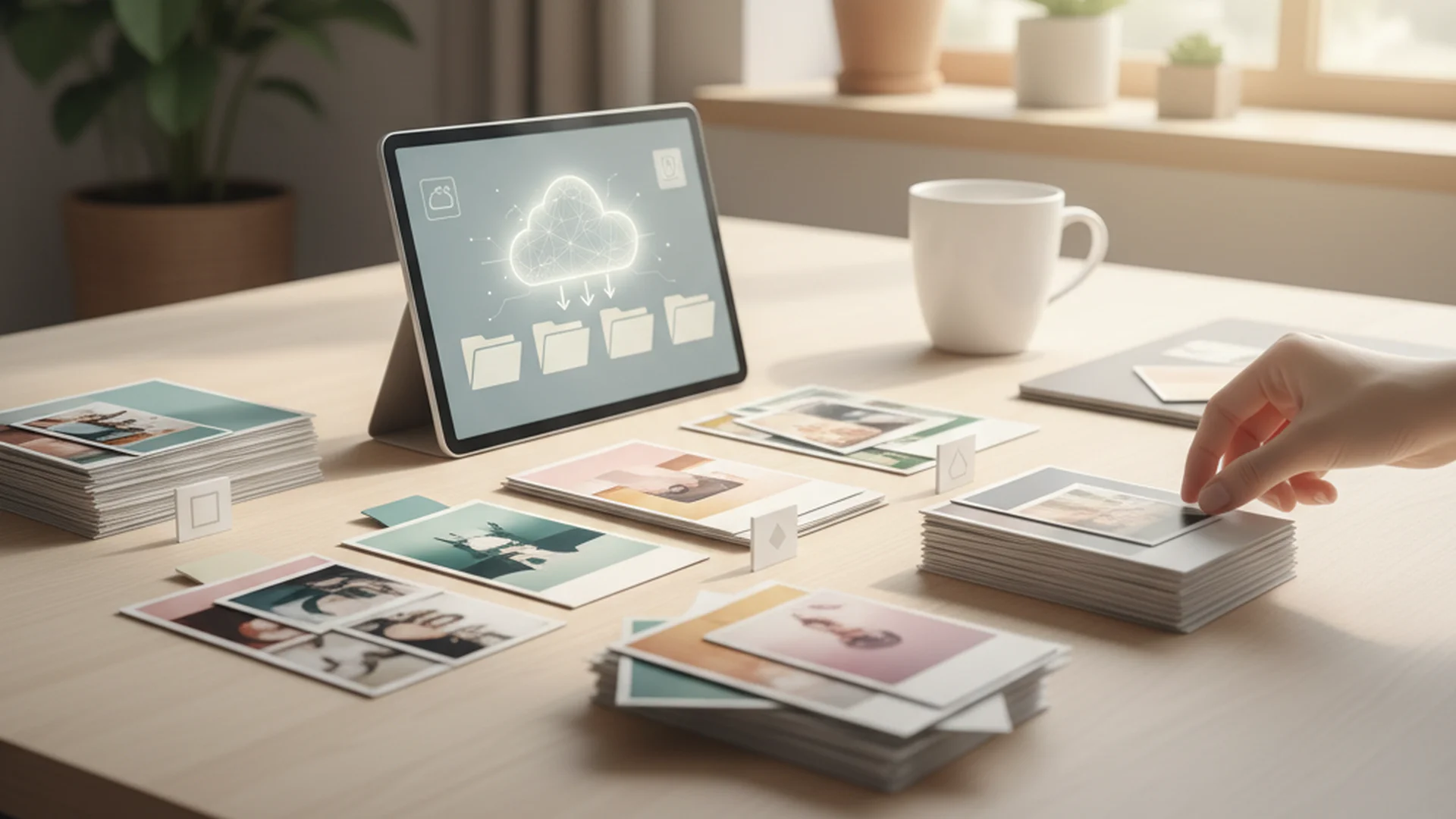
In 2025, organize important documents ideas have shifted heavily toward AI and cloud security. If you are still just "saving PDFs" to a random folder, you are behind the curve.
AI-Driven Automated Indexing
Modern applications like Adobe Scan or Microsoft Lens now use AI to automatically tag and categorize your documents. When you scan a receipt, the AI identifies it as "Home Depot," extracts the date and total, and files it under "Home Improvement."
Standardized Naming Conventions
To ensure your digital files remain searchable, you must use a consistent naming format. The industry standard is: YYYY-MM-DD-Category-Description.pdf
- Example: 2025-05-15-Medical-ExamResults.pdf
The 3-2-1 Backup Rule
Don't rely on a single external hard drive. Follow this well-established rule:
- 3 Copies: Keep three versions of your data (Original, Local Backup, Off-site Backup).
- 2 Media Types: Use two different storage types (e.g., your computer's SSD and a cloud provider).
- 1 Off-site: Ensure one copy is kept in a different physical location (Cloud storage is the easiest way to achieve this).
Zero-Knowledge Cloud Storage
With rising cyber threats, move your most sensitive records to "Zero-Knowledge" providers like Proton Drive. These services ensure that even the provider cannot see your files, offering a "digital vault" experience that traditional cloud services lack.
Real-World Examples of Document Efficiency
Example 1: The Emergency Evacuation
In 2024, a family in California had to evacuate due to a wildfire. Because they had a "Go-Bag" strategy—a portable, fireproof bag containing copies of their IDs, insurance policies, and a list of medical prescriptions—they were able to check into a hotel and file insurance claims within hours, while others spent weeks trying to prove their identity and coverage.
Example 2: The Stress-Free Tax Audit
A small business owner used the "One In, One Out" rule. Every time she filed a new 2025 insurance policy, she shredded the 2024 version. When the IRS requested support for a specific deduction, her 7-year archive was so well-indexed with AI tags that she produced the digital receipt in under thirty seconds.
Example 3: Digital Estate Planning
A "Domestic Efficiency Specialist" recently helped a client set up Apple’s Legacy Contact and a digital vault. When the client's father passed away, the family didn't have to hire a lawyer to unlock his phone or bank accounts; the "Digital Will" features automatically granted access to the designated heirs, saving thousands in legal fees.
Common Mistakes to Avoid
- The "Hidden Treasure" Mistake: People often hide their documents too well. If your family doesn't know the code to your safe or the password to your digital vault, those documents are as good as lost. Recommendation: Tell your executor or a trusted family member exactly where the key or password is kept.
- Assuming "Fireproof" Means "Indestructible": Most home safes are only rated for 30–60 minutes of heat. They are designed to survive a house fire, not to be stored in a damp basement where moisture can slowly destroy paper.
- The Plastic Bin Trap: As mentioned earlier, plastic bins are the enemy of longevity. They trap humidity and off-gas chemicals that can yellow and degrade paper. Stick to acid-free folders and metal storage.
Success: Implementing a hybrid system takes most of the stress out of paperwork and ensures you are prepared for both tax season and unexpected emergencies.
Frequently Asked Questions
How long should I keep tax returns?
Which documents must stay in physical form?
Should I use a safe deposit box or a home safe?
How long should I keep bank statements?
What is the "One In, One Out" rule?
Conclusion
Organizing your important documents is a gift to your future self. By moving toward a hybrid system that utilizes the security of a fireproof safe and the efficiency of AI-driven digital storage, you eliminate the "productivity drain" of disorganization. Start today by applying the Five-Category Sorting System. Once you clear the "mental friction" of unnecessary paper, you'll find that managing your domestic life becomes significantly more efficient.
Cleaning that keeps score
Every task earns points, every streak multiplies them, and Premium adds a household leaderboard plus a monthly Dustagorgon to beat.
- Free forever
- 30 badges to earn
- Up to 6 in a household
No card needed. Set up your rooms in a couple of minutes.